Our Services

WooCommerce
Development

Custom WooCommerce development for stores that need more than an off-the-shelf setup.

Skilled
Development Team
3
Continents Served
20+
Technologies Supported
Flexible
Engagement Models

What We Do

We build and extend WooCommerce stores for businesses whose requirements have outgrown what themes and off-the-shelf plugins cover - custom pricing rules, integrations with the systems that run the business, and the performance work a growing catalog eventually demands.

What We Build

WooCommerce Engineering

Most stores need some of this, few need all of it. Scope is set by what your catalog and order workflow actually require.

Custom Store Builds

WooCommerce stores built from the catalog structure outward, so product types, variations, and attributes match how you actually sell rather than being forced into a default schema.

Theme Development & Customization

Custom themes, or targeted changes to an existing one via child themes and template overrides, so updates to the parent theme don't undo your work.

Custom Plugin Development

Business logic packaged as a properly structured plugin rather than scattered theme edits - upgrade-safe, testable, and portable if the theme changes later.

System Integrations

Connecting the store to ERP, CRM, accounting, inventory, and fulfillment systems through the WooCommerce REST API, webhooks, or a purpose-built integration layer.

Payment & Checkout Work

Gateway integration, and checkout changes where a business needs fields, validation, or steps that the standard flow doesn't provide.

Catalog & Order Workflows

Complex product configurations, tiered and customer-specific pricing, and order routing rules that reflect how fulfillment actually works in your operation.

Performance Engineering

Query and caching work for stores where the catalog, traffic, or plugin load has pushed a default configuration past what it handles comfortably.

Migrations

Moving an existing store onto WooCommerce with products, customers, order history, and URL structure carried across deliberately rather than dumped.

Why Choose Us

What you get from an open-source store you control

01

You Own the Code

Self-hosted and open source. No platform fees on transactions, and no vendor deciding what your checkout is allowed to do.

02

Built for Your Catalog

Product model designed around how you sell, rather than fitted to a default schema after the fact.

03

Upgrade-Safe Customization

Child themes and structured plugins, so a WooCommerce or theme update doesn't undo custom work.

04

Integrated With Your Systems

The store exchanges data with the systems that run the business instead of being an island staff re-key from.

05

Performance Treated as Engineering

Profiling and query work, not a caching plugin installed and hoped for.

06

Honest Platform Advice

We build on Shopify and Magento too, and will tell you when one of those suits your requirements better.

Our Process

A methodical approach to delivering high-performance digital solutions.

1

Discovery

Catalog structure, order workflow, integrations, and the constraints that shape all three.

2

Store Architecture

Product model, taxonomy, pricing logic, and where custom code is warranted versus a maintained plugin.

3

UX & UI

Storefront and checkout design, informed by how your customers actually buy.

4

Development

Theme and plugin work built to WordPress coding standards so it survives core and plugin updates.

5

Integration

Connecting to the systems that hold inventory, customers, and finance, with defined conflict handling.

6

QA

Functional, checkout, and cross-device testing, including the payment paths that only fail in production.

7

Launch

Controlled cutover with URL mapping and redirects preserved, and a rollback path defined in advance.

8

Optimization

Post-launch performance and conversion work driven by real traffic rather than assumptions.

WooCommerce Stack

The core technologies behind a self-hosted WooCommerce build. Payment gateway choice depends on where you sell and how you settle.

Customization

When Plugins Stop Being Enough

WooCommerce's plugin ecosystem covers a great deal, and reaching for custom code first is usually a mistake. These are the situations where it stops being one.

Business rules plugins don't cover

Tiered B2B pricing, contract rates per customer, minimum order quantities by product class - rules that are ordinary in your industry and absent from every generic extension.

Workflows that span systems

An order that has to create a record in your ERP, reserve stock in a warehouse system, and notify a fulfillment partner is a workflow, not a checkout setting.

Data synchronization

Keeping inventory, pricing, and customer records consistent between WooCommerce and an upstream system, including deciding which side wins on conflict.

Checkout requirements

Additional validation, custom fields, delivery-window selection, or approval steps before an order is accepted.

Admin functionality

Screens and bulk tools built for how your team actually processes orders, rather than making staff work around the default admin.

Plugin sprawl

When a store has accumulated a dozen overlapping plugins to approximate one requirement, consolidating into a single maintained piece of code is usually cheaper over time.

Connecting the Store to Everything Else

A store that doesn't exchange data with the rest of the business creates manual work rather than removing it. WooCommerce exposes a REST API and a webhook system, which covers most synchronization needs; where the other system is the constraint, the interface is built as integration work before the store logic depends on it.

Because WooCommerce runs on WordPress, this work sits alongside our WordPress development and PHP development practice. Where a storefront needs app-like behaviour on mobile, a progressive web app layer is an option worth weighing against the added build cost.

Performance & Scale

Where WooCommerce Slows Down

Performance problems in WooCommerce are usually specific and diagnosable. We profile before changing anything, because the fix for a slow admin is rarely the fix for a slow storefront.

Database and query performance

Product, order, and meta tables grow quickly. Indexing and query work on the paths that get hit most often is typically where the largest gains are.

Caching strategy

Page, object, and fragment caching applied with care - carts, account pages, and personalized pricing must stay out of shared caches.

Asset optimization

Reducing the CSS and JavaScript plugins load on every page whether or not it is needed there, plus image sizing and modern formats.

API efficiency

Batching and scheduling integration traffic so a synchronization job doesn't compete with customers for the same resources.

Hosting and scaling

Sizing infrastructure to real traffic patterns, including seasonal peaks, working with our cloud and DevOps practice where the store warrants it.

Monitoring

Instrumenting the store so slowdowns surface as data rather than as a customer complaint.

Migrating to WooCommerce

The technical part of a store migration is rarely the hard part. What takes care is preserving URL structure so existing rankings and inbound links survive the move, and resolving the places where two platforms model the same concept differently.

Legacy or unsupported platform to WooCommerce

Stores on a platform that is no longer maintained, or where the vendor has changed direction. The work is mapping an older data model onto WooCommerce's before anything moves.

Custom-built store to WooCommerce

Bespoke stores where maintenance cost has outgrown the benefit of owning every line. Business logic worth keeping is rebuilt as plugins rather than discarded.

Platform to platform

Moving between hosted and self-hosted commerce. We also migrate in the other direction when WooCommerce turns out not to be the right fit - see our work on{' '}Shopify and Magento.

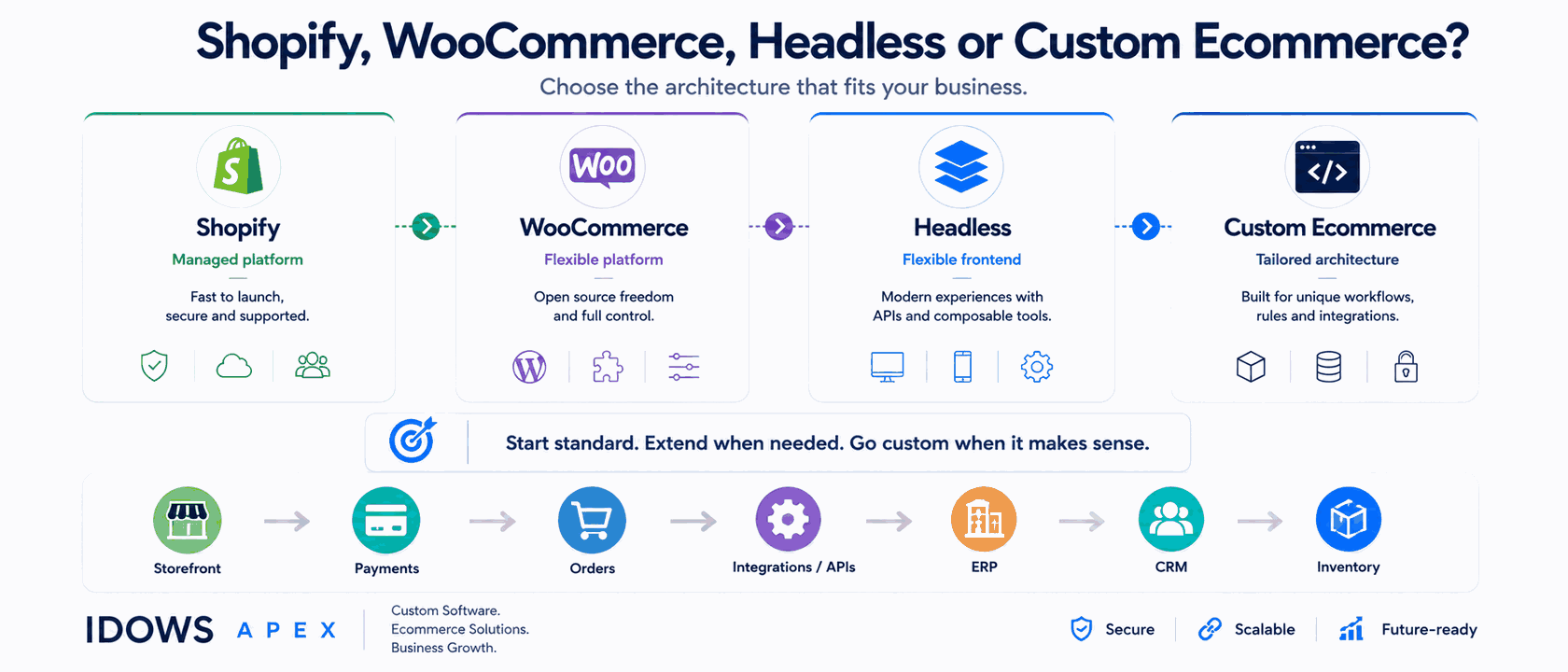
We also build on Shopify, Magento, OpenCart and Odoo, which is why we are comfortable recommending against WooCommerce when the requirements point elsewhere. Our ecommerce development guide compares the platforms in more detail.

After Launch

A self-hosted store is infrastructure you own, which means core, theme, and plugin updates are your responsibility rather than a platform's. We handle that maintenance where clients want it - applying updates against a staging copy first, keeping an eye on the security advisories that affect the plugins in use, and monitoring performance as the catalog grows. Support terms are agreed per engagement rather than offered as a blanket promise.

Insights & Updates

Latest Insights& Technical Updates

Deep technical analysis, architectural case studies, and strategic perspectives from our senior development teams.

Frequently Asked Questions

Ready to Get Started?

Let's discuss your project and see how we can help you achieve your goals.

Expand Your Reach

Discover More Services

Explore our complementary expertise to accelerate your digital transformation journey.